Q & A: User Questions, Tech Answers! Year End 2017

  • Post author:

Welcome to the 2017 edition of our “User Questions, Tech Answers”. In our ongoing mission to help make your technology easier, we like to provide you with tools and knowledge to make your computer interaction more “user friendly.” This edition will showcase some of the most popular questions asked throughout 2017, and also include some new things that we haven’t covered yet.

(more…)

Continue ReadingQ & A: User Questions, Tech Answers! Year End 2017

Why Should I Update My Software?

Read more about the article Why Should I Update My Software?
Illustration depicting a computer dialogue box with a software update concept.
  • Post author:

That pop-up message telling you to update yet again. You have to make a choice: update now or later. It’s tempting to just keep hitting “remind me later,” but that turns into “never” too easily. Keeping your software up-to-date is an important consideration. It’s one of the most important things you can do to keep your computer safe. It affects usability, security and compatibility with other software.

(more…)

Continue ReadingWhy Should I Update My Software?

The Shrinking Laptop

  • Post author:

In our previous post “The Desktop PC – Still Relevant?”, we touched on how the industry is trending more mobile, and the sizes of the devices we use are changing. Laptops are cheaper than they’ve ever been. They are thinner and lighter than ever, and they are much more powerful than they were even a few years ago. With that being said, we’d like to delve into a few minor setbacks to the cheaper, thinner, lighter laptops of today.

(more…)

Continue ReadingThe Shrinking Laptop

Video Technology

  • Post author:

Computer technology seems to change over night at times. One aspect of that technology that confuses many people are the video connection standards. There’s a few of them and they are constantly evolving. In this post we hope to clear up a little of that confusion. The History Let’s go back to the beginning of consumer computing, and explore how it’s evolved from there.   CGA (Color Graphics Adapter) - First available on the IBM PC in 1981 as IBMs first color display card, thus the first color display standard. It only used 16 kilobytes of memory and displayed at…

Continue ReadingVideo Technology

Time Machine

  • Post author:

Q & A: How Do I Setup Automatic Backups On My Macbook/Macbook Pro?

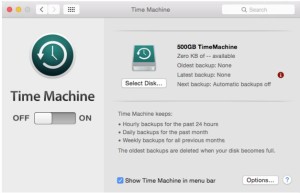
Welcome to another segment of Geek Easy Computers series on expanded answers to common questions. A question we get asked quite often by Mac users is how to setup automatic backups on their computers, so we put together this short instructional guide!

timemachine001

(more…)

Continue ReadingTime Machine

Virus 101 – Mac Virus… The Reality.

  • Post author:

mac-virus-trojan

Apple computers (Macbooks, Macbook Pros, iMacs) have always had the reputation of being “virus proof”.  And for the most part, that reputation was true.  But not for the reasons most people think.  It wasn’t that viruses couldn’t be written for the Mac OS (operating system), it’s just that the Windows OS user base was so much larger that the criminals creating computer viruses thought it not worth the effort to target the relatively small Mac percentage.  Therefore, for the longest time, Mac users enjoyed a sort of immunity from the attacks and having to safeguard their data from viruses.

(more…)

Continue ReadingVirus 101 – Mac Virus… The Reality.

A Geek Easy Computers 2012 Technology Review

  • Post author:

This past year has been an exciting one in many respects.  It has definitely been a roller coaster of a ride.  The ups and downs of the economy, the re-election of the first African-American president, the ongoing conflict in the Middle East.  So many newsworthy events took place it’s nearly impossible to comment on them all.

(more…)

Continue ReadingA Geek Easy Computers 2012 Technology Review

End of content

No more pages to load