Data recovery

  • Post author:

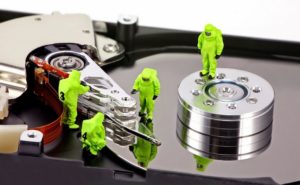
Hard drives fail all the time. It’s just a fact. That’s why we, at Geek Easy Computers, stress having a recent & reliable backup is so important. But what happens when your hard drive fails and you don’t have a backup? Usually your only option is data recovery, if possible.


(more…)

Continue ReadingData recovery

The Shrinking Laptop

  • Post author:

In our previous post “The Desktop PC – Still Relevant?”, we touched on how the industry is trending more mobile, and the sizes of the devices we use are changing. Laptops are cheaper than they’ve ever been. They are thinner and lighter than ever, and they are much more powerful than they were even a few years ago. With that being said, we’d like to delve into a few minor setbacks to the cheaper, thinner, lighter laptops of today.

(more…)

Continue ReadingThe Shrinking Laptop

SSDs

  • Post author:

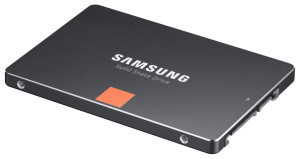
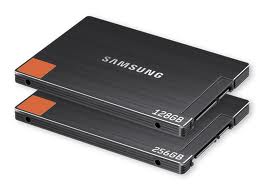
If you’re thinking about upgrading your computer, you’ve probably heard that an SSD can greatly improve the speed of your system. If you’re not sure or you don’t really know anything about SSDs, you’ve come to the perfect place. Geek Easy Computers has the answers to your questions about SSDs.

ssd

(more…)

Continue ReadingSSDs

What’s an SSD?

  • Post author:

What is an SSD?  Do I need one?

You have heard about these new upgrades called SSDs that are supposed to make your old computer faster and are not exactly sure what they really do, or better yet, what they actually are?  Your computer upgrade specialists at Geek Easy Computers are here to fill in the blanks and impart some knowledge!

(more…)

Continue ReadingWhat’s an SSD?

Upgrades 101: Hard Drives

  • Post author:

Per Wikipedia –

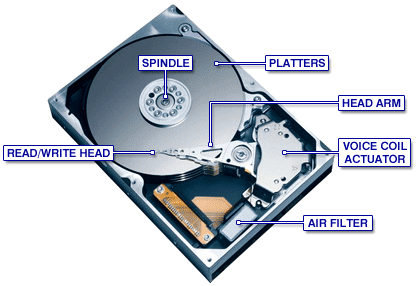
“A hard disk drive (HDD; also hard drive or hard disk)[2] is a non-volatilerandom access digital magnetic data storage device. It features rotating rigid platters on a motor-driven spindle within a protective enclosure. Data is magnetically read from and written to the platter by read/write heads that float on a film of air above the platters. Introduced by IBM in 1956, hard disk drives have decreased in cost and physical size over the years while dramatically increasing in capacity.”

When it comes to PC/Mac hard drives (HDs), they mainly come in two connection types: the older standard IDE (Intergrated Drive Electronics) , and the current standard SATA (Serial Advanced Technology Attachment). You typically find older systems use the IDE type connector.
(more…)

Continue ReadingUpgrades 101: Hard Drives

End of content

No more pages to load