PC
Q & A: User Questions, Tech Answers! March 2019
 March 25, 2019
Welcome to the first installment of the 2019 edition of our “User Questions – Tech Answers”. In our ongoing mission to help make your technology easier, we like to provide you with tools and knowledge to make your computer interaction more “user friendly.” This edition will showcase some of the most popular questions asked us, and also include some new things that we haven’t covered yet.
Q. Why don’t you guys fix smartphones or tablets? Aren’t they all computers?
A. Short answer, no. Back when Geek Easy Computers first came into existence, it was decided that we would focus on what we did best – small business IT services and computer repair. As we have grown and evolved, we have added a multitude of other services, but all relating to our core of computer service and repair. While smartphones and tablets can perform many of the same functions as an actual computer, the technology behind them is actually fairly different from computer technology. As such, it takes a different set of specialized skills to service them effectively. We strive to be the best at what we do. So we devote our valuable time and resources to perfecting those skills, as opposed to branching out to other types of devices. We want to be your expert computer repair choice, not your mediocre fix-it-all place.
Q. Why don’t you give estimates over the phone?
A. Phone estimates are usually wrong or incredibly vague. We can’t provide any accurate cost estimates without knowing what is specifically wrong with your computer and what parts and services it needs. Your description of what is happening (or not happening) lets us know what the symptoms are, but to determine the cause of those symptoms, we would need to perform a physical diagnostic examination of the unit. Once we have determined the cause of the issue, we provide you with repair options. The only accurate phone estimate is that our repairs start with the $50 deposit minimum and could end up being more expensive than replacing the system depending on what all is wrong.
Q. Why don’t you buy used computers or parts? Don’t you sell used computers?
A. As a company policy we do not purchase used computers or parts from individuals. There are several reasons for this, but first and foremost we don’t want to create a market for stolen computers or encourage computer theft in any way. Chances are what you can find at pawn shops or often via Craigslist are being sold because they were stolen.
It is also difficult to guarantee the performance of used items. We specialize in the sale of refurbished desktop & laptop computers. The difference is the computers we sell are business class computers that were previously leased by other businesses. Once off lease, they were purchased by a professional refurbishing company who then refurbishes the computers and puts them through rigorous testing. We only purchase grade “A” models from the company, put them through our own testing, then offer them to our customers.
Q. Do I really need to run updates?
A. Short answer, yes. Software updates offer many benefits which include patching security holes that have been discovered in the software. Updates can also add new features to your devices and remove outdated ones. Cybercriminals love security flaws, also known as software vulnerabilities, which are weaknesses found in programs that a virus author or hacker could exploit to gain access to some part of your device. By the time a software company has the chance to patch and test a fix to a vulnerable program, the weakness is already well known in the security community which also includes people looking to gain access to your computer resources for malicious purposes. It’s best to run security updates as quickly as you can and replace any device that is no longer receiving security updates.
We are always available to help make your technology easier. Geek Easy Computers is your place for news on the latest & greatest, and your place to get answers to your questions!

Adonis has been involved in computer technology since well, a LONG time! He has been involved in nearly every aspect of the industry from sales to repair to training to consulting. As the Social Media Manager he writes the majority of the posts on the Geek Easy Computers blog.
 Posted in Business, device, home, Laptops, Mac, Networks, office, operating system, PC, repair, Services, software, tablet, Uncategorized, wireless |
  Tags: estimates, questions, refurbished, smartphones, tablets, technology, updates, used computers |
  No Comments »
Have You Turned It Off & On Again?
January 29, 2019
You’re working on that report that’s due in class tomorrow when suddenly – up pops a blue screen with an error message on it. Or you’re trying to finish up that spreadsheet with the numbers your boss needs for his meeting in the morning, when the computer just freezes up! Or you’re in the middle of a firefight in Fortnite when the computer screen goes black. Or you’re checking out a web site and pop-ups start appearing on your screen! What do you do now? Don’t panic…
 Posted in device, home, Laptops, Mac, mobile, modem, operating system, PC, repair, router, tablet, Uncategorized | Tags: background, bsod, devices, power off, processes, program, RAM, resources, restart, shared, smartphones, smartwatches, system, tablets, tips | No Comments »
Data recovery
November 21, 2018
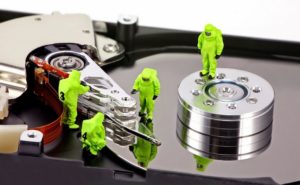
Hard drives fail all the time. It’s just a fact. That’s why we, at Geek Easy Computers, stress having a recent & reliable backup is so important. But what happens when your hard drive fails and you don’t have a backup? Usually your only option is data recovery, if possible.
Cloud Storage…Why Should I Use It?
September 28, 2018
At Geek Easy Computers, we see too many clients with failed or failing hard drives with no backup system in place! It’s a tragedy because data recovery is not guaranteed and can be expensive when it does work. Today there is really no excuse for not having some type of regular backup in place. Especially with the availability and ease of use of cloud storage. With this post, we hope to show you why you should be using the cloud.

Power Adapter/Cable Care
August 27, 2018
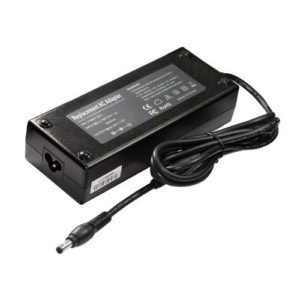
Everyone has been through it before. You go to charge your smartphone or your tablet, or even your laptop; you plug in your power adapter, and…. nothing happens. So you unplug it and try again. Still nothing. You wiggle the connector to make sure it’s in all the way. Nope. Your device isn’t charging. ARRRGH! WHY?
Read the rest of this entry »
What’s Wrong With My Wifi?
July 11, 2018
You’ve finally got high speed WiFi installed in your home! So you run down to the rec room to watch your favorite Netflix binge show while you work out! But no! The video is stuttering and keeps dropping signal! What’s going on?

Read the rest of this entry »
Linux – Demystified!
April 24, 2018
So you’ve heard about this software called Linux, but you don’t know what it is? In this article we hope to take the mystery out of Linux and show why it’s a relevant alternative!

Posted in home, Internet, Mac, Networks, operating system, PC, software | Tags: chromebook, distro, fedora, light weight, linux, mac, mint, operating system, red hat, Torvald, ubuntu, windows | No Comments »
Jan/Feb/March Newsletter
April 4, 2018
Well it has been an eventful first quarter of 2018, has it not? The latest newsletter edition has travel tips, resolutions, and helpful tidbits!
Have you signed up for our monthly newsletter? It’s got great information, packed with helpful tech tips, relevant news, and money saving promotions!
Here’s the PDF version of this month’s issue:
ge_newsletter042018
If you like what you see, you can sign up for it here:
I Want The GE Newsletter!
Posted in Backups, device, Internet, Laptops, Mac, Newsletter, office, operating system, PC, Product Spotlight, repair, Services, software | Tags: backup, Cloud, malware, malwarebytes, newletter, smartphones, tablets | No Comments »
Are Smartphones & Tablets computers? Not Quite.
March 15, 2018
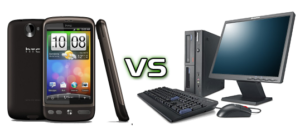
Smartphones and tablets have gotten more powerful and capable over the last 5 years. Many people rely on them as their primary device to access the Internet or to consume media (stream video, listen to music). But are they really ready to replace a computer? In this article we’ll clarify the differences between computers & mobile devices, and hopefully answer any questions.
 Posted in Business, device, home, Internet, Laptops, Mac, mobile, operating system, PC, tablet | Tags: 4K, computer, desktop, input, laptop, mac, mobile device, pc, power, resolution, smartphone, storage, tablet, touchscreen | No Comments »
What Computer Do I Need – 2018?
January 22, 2018
When it comes time for the purchase of a computer, many people are at a loss as to what they actually need versus what some salesperson is trying to sell them. We want to make that process easier for you, so we will break down some of the basics in this post. For the purposes of this post, we will be focusing on Intel-based, Windows PCs.
What Do You Want To Do?
This is the first question that you should ask yourself. Determining what you are going to be using your computer for will help you establish a baseline for the specifications of new computer.
- Are you mainly going to be doing things like reading email, visiting websites (news, social media, Internet searching) with maybe the occasional document created?
- Are you going to be editing large or hi-res photos or video? Creating complex presentations or accessing large databases?
- Are you going to be playing resource-intensive games or watching a lot of streaming video?
- Is this going to be a work computer with heavy daily use?
These are the types of questions you should answer before you start looking at computers. If you need help figuring it out, the experts at Geek Easy Computers are always available to assist you. Whether a home or business computer, we can help you narrow down what will fulfill your needs.
What’s Next?
Certain activities will dictate a more obvious requirement of computer specifications, such as high-end gaming, video/music editing, or a heavy usage workstation. For the purposes of this section, we are looking at a general usage home/office computer.
RAM
For general purposes (and most operating systems), the de facto standard is 4GB minimum. In typical cases this amount of RAM is sufficient to handle most mundane tasks such as word processing, simple spreadsheets, viewing photos, streaming video, and playing more basic games. For better multitasking and snappier response, 8GB is recommended, but more RAM is always better. Especially with newer operating systems like Windows 10 and Mac OS 10.13 High Sierra.
Storage (Hard Drive)
When it comes to storage, it’s always better to have more than you need. If in doubt, go bigger. Currently for standard HDDs (conventional drives) the popular size is 1TB (1000 GB). If you opt for an SSD (solid state drive) 250GB – 500GB as your primary drive, then a 1TB HDD is a good pairing for storage. See our previous article on SSDs & HDDs.
Graphics
For everyday productivity tasks, the integrated graphics processor found on many logic boards is typically adequate. However if you want to get into more graphically demanding pursuits such as high-end photo editing, video production, or gaming, you are going to need to upgrade to a dedicated video card (GPU). GPUs can range from less than $100 to several hundred dollars depending on what type of performance you desire. Check back for an upcoming article on GPUs.
Processor
This is the core of your computer. The choice you make here will affect the overall performance and capabilities of your computer. For the purposes of this post we will focus on Intel processors as they are arguably the business and gaming standard.
Intel’s current processors are the basic Pentium series and the 8th generation Intel Core series of CPUs – Core i3, Core i5, Core i7 and the new “Extreme” Core i9s.
- Pentium – This is Intel’s very basic line of processors. They are generally for light computer use. The 7th generation Pentium processors were like Core i3s with lower clock speeds.
- Core i3 – This is the everyday level of the series. This CPU is more than adequate for tasks like surfing the web, listening to music, word processing, etc. The newest i3 processors can even handle light or casual gaming. This is the business entry-level of processor.
- Core i5 – This is the minimum standard for those doing more advanced tasks such as complicated, multi-page documents, photo editing, music production and playing graphically demanding games. An i5 is our recommended processor speed for average business systems.
- Core i7 – This is the high-end of this series. This CPU is the choice of any serious gamer or enthusiast. It should also be the choice of any professional photographer, videographer, musical producer, or any business using high end data driven software. It is also a great choice for the home user as it lengthens the amount of time before the demands of software outstrip the capabilities of your computer.
- Core i9 – This is Intel’s new bleeding-edge series that has replaced the “enthusiast” tier of Core i7s. These would be used for extreme gaming, mega-tasking, very high-end content creation. This series has Intel’s first 18-core processor.
Recommended Starting Configurations
Budget:
CPU: Intel Pentium
RAM: 4GB RAM
Hard Drive: 500GB hard drive
Everyday:
CPU: Intel Core i3
RAM: 4GB RAM
Hard Drive: 1TB hard drive
General Business or Gaming:
CPU: Intel Core i5
RAM: 8GB RAM
Hard Drive: 250GB SSD and\or 1TB hard drive
Demanding Business, High-End Gaming, Power Users
CPU: Intel Core i7
RAM: 16GB RAM
Hard Drive: 500GB SSD with optional 1-4TB storage drive
The above information covers the basics of choosing a new computer. Hopefully it gives you more insight on what your family or business needs in new hardware. Like all things, computer needs like storage and RAM can vary, but these are a general guideline for picking out a new PC based on how you plan to use it. If you have further questions, feel free to give us a call, email, or use the form on this website to contact us! We are always available to help make your technology easier!
 |
Adonis Pointer is a photographer, a collector of vintage razors, and a certified technology geek!
Adonis has been involved in computer technology since well, a LONG time! He has been involved in nearly every aspect of the industry from sales to repair to training to consulting. As the Social Media Manager he writes the majority of the posts on the Geek Easy Computers blog. |